
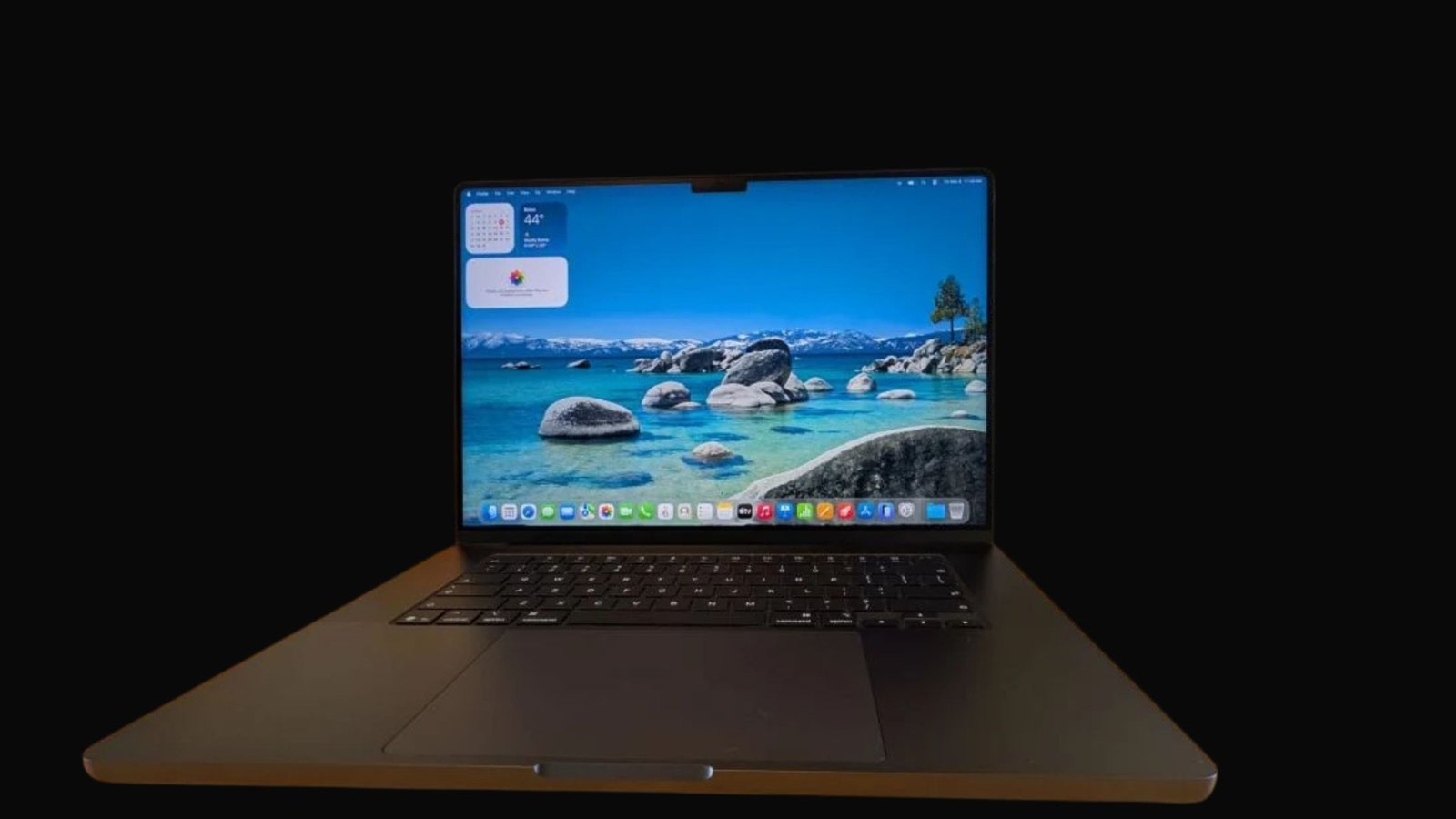

Need a MacBook keyboard fix in Kampala? When keys stop working, type the wrong letters, feel sticky, repeat on their own, or break after a liquid spill, MicroStar Andy can help. We offer expert MacBook keyboard repair at Majestic Plaza L5-07, William Street, Kampala.
Your keyboard is one of the most vital parts of your MacBook. A few faulty keys can slow your work significantly. But widespread key failure makes your MacBook almost impossible to use for business, school, design, writing, or daily tasks. The right repair starts with identifying the cause. It may be the keyboard mechanism itself, liquid exposure, a software issue, a damaged internal cable, a swollen battery, or another component.
Macbook Keyboard Replacement Kampala: MacBook Keyboard Repair in Kampala
MicroStar Andy is a local Apple Mac repair centre in Kampala. We specialise in MacBook Air, MacBook Pro, iMac, Mac mini, Mac Studio, and Mac Pro. We support both Intel-based Macs and Apple Silicon models, including M1, M2, M3, and M4 MacBook variants.
Bring your MacBook to our Majestic Plaza workshop for a comprehensive assessment. We diagnose the issue first, explain the underlying cause, and recommend the appropriate repair pathway before we begin any work. See our Mac repair services
Macbook Keyboard Replacement Kampala: Signs Your Keyboard Needs Help
Signs Your Keyboard Needs Help
Keyboard problems can start slow or hit fast. You may need a check if you see these signs:
- Keys do not respond when pressed
- Keys type two letters or repeat on their own
- The keyboard types wrong letters
- Keys feel sticky, loose, or hard to press
- The keyboard stops working after a spill
- Some keys work but others do not
- The key light does not work right
- The trackpad and keyboard both stop working
Do not think every keyboard problem needs a full swap. A tech must check the model and the cause before suggesting the right fix.
Why MacBook Keyboards Break
MacBook keyboards can fail for numerous reasons. The most common causes include wear from daily use, liquid exposure, dust or debris beneath the keys, damaged internal flex cables, corrosion, software configuration issues, accidental physical impact, and problems caused by a swollen battery pressing against internal components.
Some older MacBook Pro and MacBook Air models feature keyboards that are integrated into the upper case assembly. In these models, the repair approach may involve replacing the complete upper-case unit rather than changing individual keys. The appropriate solution depends on your specific MacBook model and the extent of the damage.
If your trackpad is lifting, the bottom case looks uneven, or the MacBook will not sit flat on a surface, stop using it immediately and have it inspected. These symptoms may indicate a swollen battery, which can compromise the keyboard and other internal parts.
Keyboard Damage From Liquid Spills
Liquid spills represent one of the most urgent causes of keyboard failure. Water, juice, tea, coffee, soda, and other beverages can penetrate through the keyboard assembly and reach the battery, trackpad, logic board, and other critical internal components.
If liquid spills on your MacBook:
- Turn it off right away if it is on.
- Unplug the charger and all accessories.
- Do not charge it or keep restarting it.
- Do not use a hair dryer, rice, or direct sun.
- Bring it to MicroStar Andy for a check as soon as you can.
A MacBook may seem fine after a spill but get worse later. Corrosion can build up and cause issues days or weeks after. Early checks help stop bigger damage.
Our Keyboard Repair Steps
A successful keyboard repair begins with proper diagnostic checks. At MicroStar Andy, the process is straightforward:
- Assessment: We determine whether the issue is isolated to the keyboard or connected to liquid damage, battery swelling, software problems, trackpad failure, or logic-board faults.
- Repair recommendation: We explain the identified issue and the appropriate repair approach for your specific MacBook model.
- Approval before work: We proceed only once you understand and approve the recommended repair plan.
- Careful repair: The keyboard or required assembly is repaired or replaced using compatible parts for your model.
- Testing: We test key response, typing accuracy, backlight function where applicable, and related systems before collection.
Some models need a small fix. Others need a bigger part swap. It all depends on your MacBook.
Why Choose MicroStar Andy?
MicroStar Andy is a local Apple Mac repair expert in Kampala. We provide clear diagnostic assessments, reliable repair work, system upgrades, macOS support, and data recovery services for all Apple Mac computers.
Our workshop is located at Majestic Plaza L5-07, William Street, Kampala, conveniently close to Kampala Road and easy to reach from the central business district. We serve Mac users from Nakasero, Kololo, Makerere, Ntinda, Bugolobi, Muyenga, Kabalagala, Kansanga, and surrounding areas. Learn more about our team at About MicroStar Andy or read our contact page.
Frequently Asked Questions
Can you replace a MacBook keyboard in Kampala?
Yes. MicroStar Andy provides MacBook keyboard checks and swaps for MacBook Air and MacBook Pro models. The fix depends on the model and the cause of the issue.
Why are some MacBook keys not working?
Keys can fail from dirt, wear, liquid damage, a bad cable, software settings, a swollen battery, or other hardware faults. A proper check finds the cause.
Can liquid damage cause a MacBook keyboard to stop working?
Yes. Liquid can break the keyboard and also reach the battery, trackpad, and logic board. Turn off the MacBook, unplug it, and bring it in fast.
Can a swollen battery affect the MacBook keyboard?
Yes. A swollen battery can push on the keyboard, trackpad, and bottom case. If you see lifting or a bent case, stop using the MacBook and get it checked now.
How long does keyboard repair take?
Time depends on your model, the type of issue, and part availability. After the check, MicroStar Andy will tell you the expected time.
What you get with the service
| Item | Detail |
|---|---|
| Diagnostic | Free 21-point inspection at Majestic Plaza L5-07 |
| Turnaround | Most jobs done in 24-48 hours |
| Warranty | 3-month warranty on parts and labour |
| Location | Majestic Plaza, Level 5, Shop 07, Kampala |
| Since | Serving Kampala since 2004 |
Written by the MicroStar Andy team – Mac repair specialists serving Kampala since 2004.

[…] Keyboard failure – Sticky or dead keys are often the first sign, and sometimes the keyboard needs replacement after cleaning. See our post on MacBook keyboard replacement in Kampala […]
[…] MacBook Keyboard Replacement Kampala: Expert Keyboard Repair at Majestic Plaza […]
[…] clean and service at Majestic Plaza L5-07. See keyboard replacement, technician, MacBook Pro, and contact or reserve via […]