Macbook Battery Replacement Kampala: 6 Warning Signs Your Battery Needs Replacing
igns Your Battery Needs Replacing
Check these six signs. If two or more sound like your Mac, your battery is trying to tell you:
-
“Service Battery” or “Replace Soon” warning – check via System Settings, then Battery, then Battery Health
-
Battery health below 80% – macOS marks this as worn out
-
Rapid drain – dropping from 100% to 50% in under an hour of light use
-
Random shutdowns – the Mac powers off at 20-40% charge, usually at the worst time
-
Swollen battery – the trackpad is hard to click, or the bottom case bulges. Stop using it now – swollen batteries are a safety risk
-
Overheating while charging – unusual heat around the bottom case
The longer a weak battery is ignored, the more stress it puts on your trackpad, keyboard, and logic board. Catching it early is always cheaper.
What Kampala’s Climate Does to Your Battery
Before you assume the battery is dead, it helps to know what Kampala’s heat does to MacBooks:
-
Heat exposure – leaving your MacBook in a parked car or direct sun wears battery cells fast
-
Power surges – unstable power quietly damages charge circuits over time. Always charge through a surge protector
-
Background apps – runaway processes in Activity Monitor can look like battery failure
-
Old macOS – updates often include real battery-management fixes
-
Bad charging habits – being plugged in at 100% all day ages cells early. Turn on Optimized Battery Charging
If you have fixed all of these and the drain goes on, the battery cells are worn out – and a swap is the only real fix.
Why a Battery Swap Is Worth It
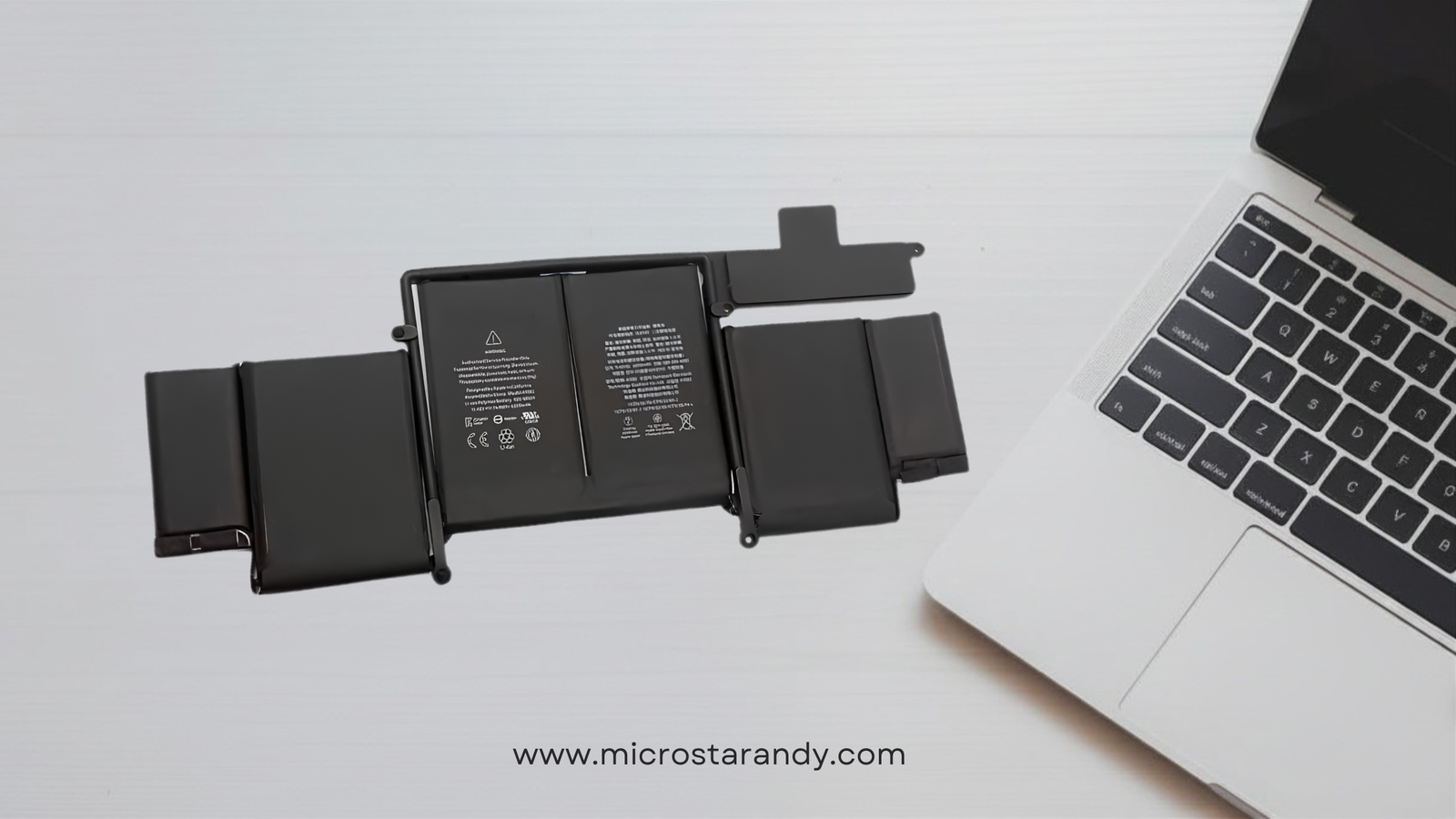
Every MacBook battery can be replaced – yes, even on the newer Apple Silicon models where the battery is glued to the case. You do not need a new MacBook.
Think of it this way: a battery swap is one of the smartest buys a Mac owner can make. Instead of spending millions on a new machine, one skilled repair can give you a Mac that lasts the whole day on one charge again – often for years. Most of our customers are shocked at how “brand new” their Mac feels after the swap.
WhatsApp us your model number (find it under About This Mac) and we will give you an honest, no-obligation quote within minutes.
Why Pick MicroStar Andy for Battery Work
Anyone can sell you a battery. What matters is who fits it, what quality goes in, and whether it is done right. Here is what you get with us:
-
20+ years of Apple repair practice – over 2,000 devices fixed for 300+ happy customers across Kampala, with a 4.9-star rating
-
Same-day service – most battery swaps done in 1-2 hours while you wait or run errands in town
-
High-quality cells only – we refuse to fit cheap batteries that swell or fail within months
-
Warranty on parts and labour – peace of mind long after you leave the workshop
-
Free, honest check first – sometimes the real issue is the charge port or logic board, not the battery. We confirm the actual problem before you spend a shilling
-
Easy city-centre spot – William Street, Majestic Plaza L5-7, Kampala – easy to reach from anywhere in town
How the Battery Swap Process Works
Here is what happens from the moment you walk in:
-
Free check – battery cycle count, health score, and full charge system check
-
Clear quote – you approve everything before we open your Mac
-
Safe removal – proper methods to release the old battery, never prying at cells, especially swollen ones
-
Quality install and setup – first full charge cycle done and checked in-house
-
Full test and handover – charge rate, health report, and heat levels all confirmed before your Mac leaves the bench
Aftercare Tips to Keep Your New Battery Healthy
Once your new battery is in, these habits will keep it healthy:
-
Keep daily charge levels roughly between 20% and 80%
-
Never leave your Mac in hot places – cars and sunny windowsills are battery killers
-
Use real or certified USB-C or MagSafe chargers only
-
Restart your Mac weekly and keep macOS up to date
-
Book an annual skilled tune-up – Kampala’s dry-season dust builds up inside and makes your battery work harder than it should
Frequently Asked Questions
How long does a MacBook battery swap take in Kampala?
Most swaps at MicroStar Andy are done in 1-2 hours, same day, once the battery for your model is in stock.
Is it worth replacing a MacBook battery?
Absolutely. A skilled battery swap extends your Mac’s life by years at a tiny fraction of the cost of buying a new MacBook. Most customers say it feels like getting a new machine.
Will I lose my data during battery swap?
No. Battery swap never touches your storage. Your files, apps, and settings stay exactly as you left them.
My MacBook battery is swollen – what should I do?
Stop charging and using it now, keep it away from heat, and bring it straight to our Kampala workshop. Swollen batteries are dangerous and need skilled handling – do not press the case back down or poke it.
How much does a MacBook battery swap cost?
Pricing depends on your exact MacBook model and year. Send us your model number on WhatsApp and we will give you a fast, clear quote – with no hidden charges, ever.



[…] port, power-delivery system, software, or logic board. For affected MacBook models, we offer MacBook battery replacement in Kampala using quality compatible […]
[…] MacBook Battery Replacement in Kampala: Cost, Signs & Same-Day Service (2026) […]
[…] diagnose free at Majestic Plaza L5-07. See our main battery replacement page, battery signs guide, MacBook Pro stock for trade-in value, and contact us or reserve via […]